
Wall-Mounted vs Floor-Standing Data Cabinets: 5 Things to Check Before You Buy
Check the wall rating, calculate the filled weight, confirm whether you need rear access, measure the depth against your deepest item, and plan for growth. Get any one of these wrong and you will be replacing the cabinet, and repatching everything, sooner than planned.
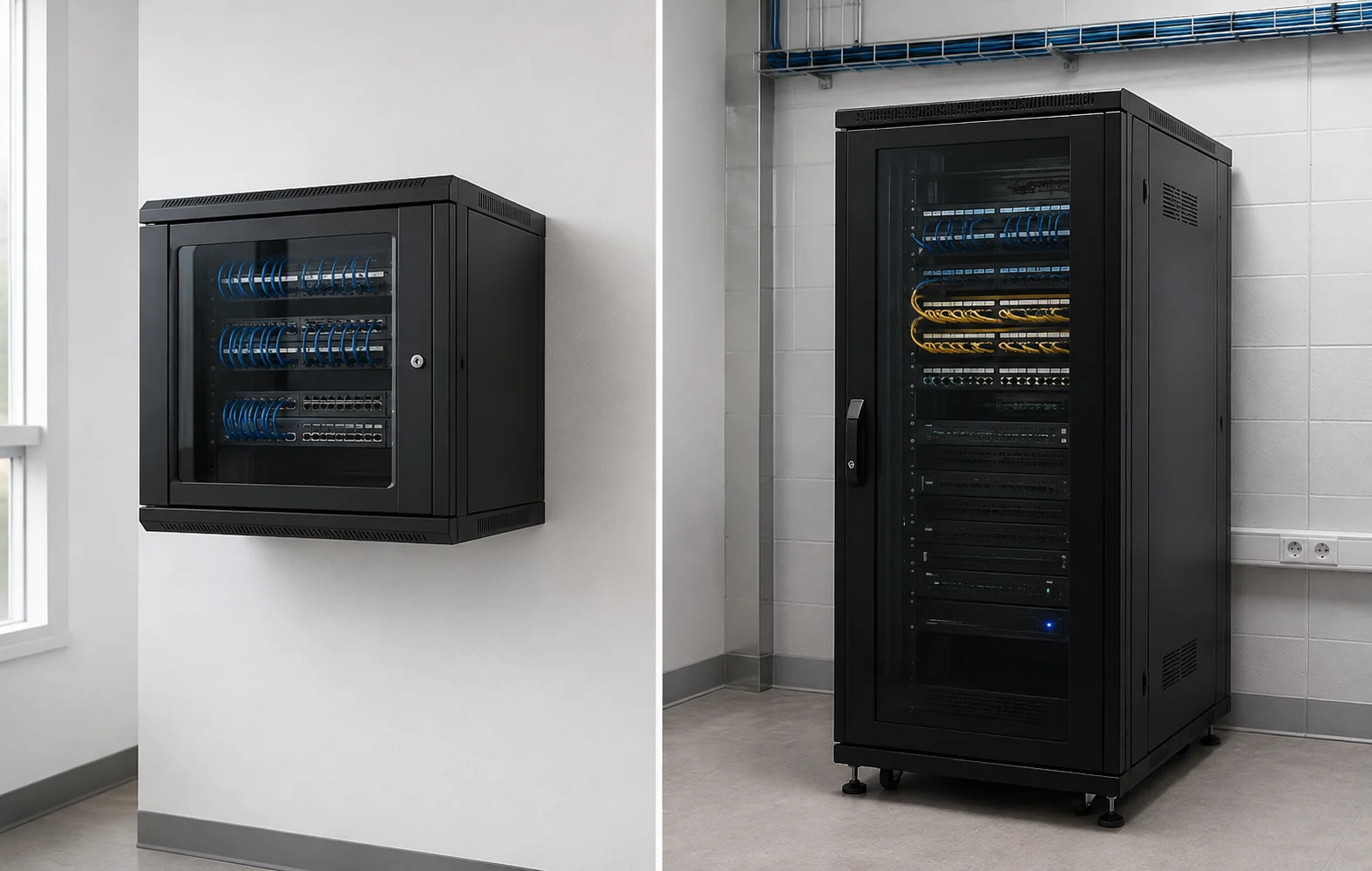
Every structured cabling project involves a cabinet decision. Wall-mounted or floor-standing? For a small passive comms room the answer seems obvious, until you get on site and realise the wall is stud partition, or the client has added a small UPS that pushes you over the safe fixing weight. Here are the five checks you should run before you specify a cabinet, and how to avoid the most common mistakes we see installers make.
What Is the Wall Rated To?
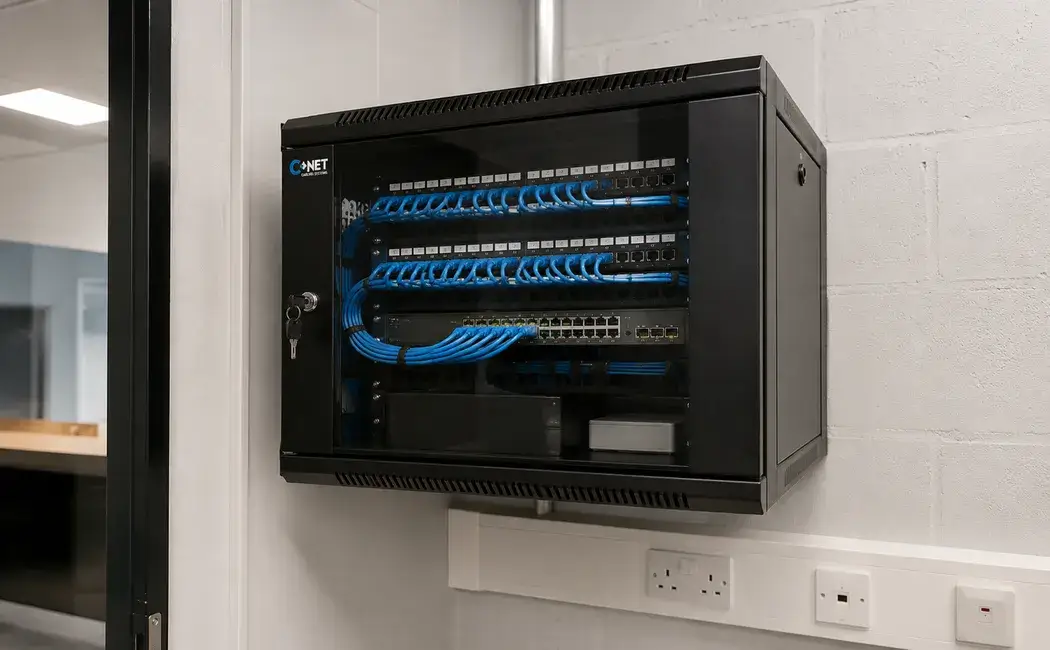
Wall-mounted cabinets are fixed to a wall, so the wall's structural capacity is your first constraint, not the cabinet's. A fully populated 12U wall cabinet with cable management, patch panels, and a switch can exceed 40 to 50 kg with cabling. Masonry walls can typically support this with the right fixing hardware. Stud partition walls usually cannot.
- 1Masonry (brick, block, or concrete): check fixing specification, M8 expanding bolts, minimum 60 mm embedment depth
- 2Stud partition: do not wall-mount above 20 kg without structural backing, add a noggin or use a floor-standing cabinet
- 3False ceiling or raised floor area: confirm overhead structural support if ceiling-mounting
- 4Existing penetrations: verify no conduit, cable trays, or water pipes behind the proposed fixing area
How Much Will the Cabinet Weigh When Full?
Calculate before you order. A common error is specifying a wall-mounted cabinet that fits the current equipment load but fails when the client adds equipment six months later.
| Item | Approximate Weight | Notes |
|---|---|---|
| CNET 9U wall-mounted cabinet (empty) | 8 to 10 kg | Varies by door type and side panels |
| 24-port patch panel (1U) | 0.5 to 1 kg | Loaded with jacks |
| 24-port unmanaged switch (1U) | 1.5 to 3 kg | PoE models heavier |
| 1U UPS (500VA) | 7 to 9 kg | Battery weight, often underestimated |
| Cabling (1x 24-port run, Cat6) | 2 to 4 kg | Depends on run length and cable gauge |
| Cable management 1U (horizontal) | 0.5 to 1 kg | Per tray |
Sum the equipment weight, add the empty cabinet weight, then add 20 percent for cabling and accessories not yet identified. If the total exceeds your wall fixing load rating, move to floor-standing. Cabinets and full flight cases are also heavier than they look once loaded, so if your team is lifting or repositioning a populated cabinet on site, it's worth following recognised manual handling guidance to avoid injury.
Do You Need Front and Rear Access?
Wall-mounted cabinets typically swing open at the front, rear access requires removing the cabinet from the wall or pulling it out on hinged arm brackets. For passive-only installations this is usually acceptable: the rear of a patch panel is rarely touched after initial installation.
For active equipment the situation is different. Switch power supplies, server IEC connectors, and fibre trunk cables all terminate at the rear. If you anticipate regular rear access, for repatching, equipment replacement, or troubleshooting, a floor-standing cabinet with a lockable rear door is the correct specification.
Is There Enough Depth for Your Deepest Item?
Wall-mounted CNET cabinets in the 6U to 15U range are available in 300 mm and 450 mm depths. Floor-standing models go from 450 mm to 800 mm and beyond.
Measure your deepest equipment body (not including power cables) and add 50 to 75 mm for rear cable radius. If you cannot physically close the rear door with all equipment installed and powered, you have specified the wrong depth.
- 300 mm depthPatch panels, faceplates, unmanaged switches up to 250 mm body depth
- 450 mm depthStandard PoE switches up to 350 mm body depth
- 600 mm depthManaged switches, small 1U servers, standard UPS (up to 500VA)
- 800 mm depthStandard 1U/2U rack servers (Dell, HPE, Lenovo) up to 700 mm body depth
What Happens When the Client Grows?
A wall-mounted 9U cabinet that is 80 percent populated today has no room for growth. When the client doubles their headcount in two years and needs another 24-port patch panel and switch, that cabinet will be full. Replacing a wall-mounted cabinet with a floor-standing one means repatching everything, an expensive day's work that could have been avoided.
If there is any possibility that the installation will grow, and in commercial premises there almost always is, size up or specify a floor-standing cabinet with headroom from day one.
Wall-Mounted vs Floor-Standing: Quick Decision Summary
| Factor | Wall-Mounted | Floor-Standing |
|---|---|---|
| Equipment type | Passive only or very light active | Active equipment, servers, UPS |
| Max practical size | 15U | Up to 42U or beyond |
| Rear access | Difficult without swing-out bracket | Rear door as standard on most models |
| Wall structure required | Masonry or substantial backing | Any floor, check floor loading for heavy loads |
| Future growth | Limited, replace or add a second unit | Add rack space within the same footprint |
| Space footprint | Zero floor footprint | Requires floor allocation (typically 600 x 600 mm) |
CNET Cabinet Range for Irish Installers
CNET manufactures a full range of wall-mounted and floor-standing data cabinets for the Irish and UK markets, available through Wood Communications (woodcomm.ie), from many electrical wholesalers throughout Ireland, and certified CNET installer partners. All cabinets are ISO/IEC 11801 compatible and eligible for the CNET 25-year system warranty when installed with CNET cable, patch panels, and modules.
- Wall-Mounted 6U, 9U, 12U, 15U, in 300 mm and 450 mm depths
- Floor-Standing 18U, 22U, 27U, 32U, 37U, 42U, in 450 mm, 600 mm, and 800 mm depths
- All Models 19" EIA-310-D rail standard, flat-pack delivery, all hardware included
- Options Perforated and solid doors, side ventilation panels, PDU cable routing
Become a CNET Certified Installer
CNET certified installers gain access to full technical specifications, the 25-year warranty programme, and priority support from our technical team in Dublin. Certification is free for qualified cabling contractors.
Register as a CNET Certified Installer: It's Free
Join CNET's certified installer network and offer your commercial clients a 25-year ISO/IEC 11801 structured cabling warranty. Free registration, technical support, and product access through Wood Communications and many electrical wholesalers throughout Ireland.