
How do you choose the right data cabinet?
Choose a data cabinet by assessing five factors: U-height, by counting all equipment rack units and adding 20–30% headroom; depth, where passive-only installs need 300–450mm and servers need 600–800mm; form factor, with wall-mounted suited to small passive installations and floor-standing to heavier or larger deployments; ventilation, passive for low-power kit and active fans for switches and servers; and load rating, confirming the wall or floor can support the filled cabinet weight. CNET manufactures cabinets across all these configurations, certified for ISO/IEC 11801 structured cabling systems.
How to Choose a Data Cabinet: A Manufacturer's Selection Guide for Irish Installers
A data cabinet is a 15–25 year infrastructure investment. Getting the selection wrong — choosing a cabinet that is too small, too shallow, under-ventilated, or incorrectly load-rated — creates problems that are expensive to fix once cabling is routed and equipment is racked. This guide covers every decision point from a manufacturer's perspective, in line with best-practice recommendations from the IDCSA.
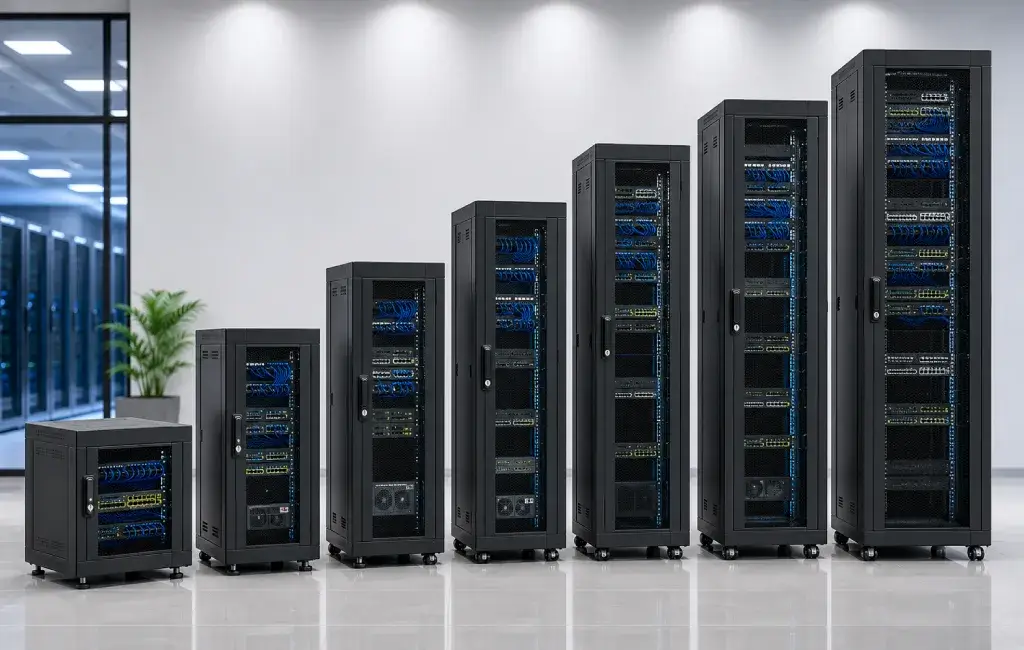
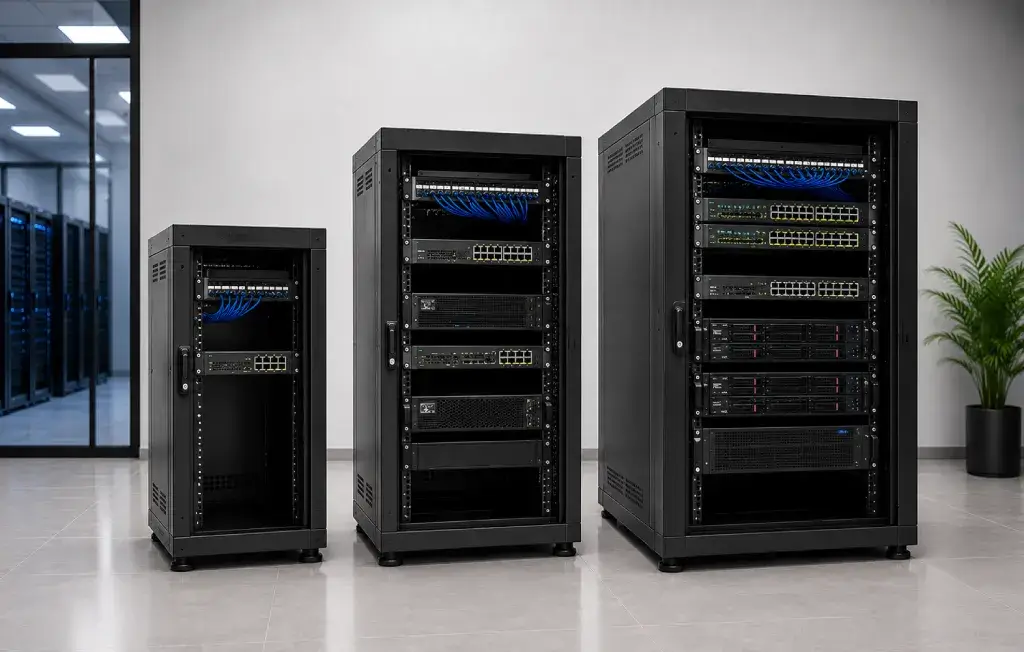
Step 1: Determine the U-Height
A rack unit (U or RU) equals 44.45mm (1.75 inches). Standard 19" equipment occupies 1U, 2U, or more. To size the cabinet correctly, count every piece of equipment that will be installed and total the rack units required, then add headroom for growth and cable management.
| Cabinet | U Height | Typical Contents | Common Application |
|---|---|---|---|
| 6U | 6U / 370mm | 1× 24-port patch panel + small switch | Residential, small retail, single-room office |
| 9U | 9U / 500mm | 24-port patch panel + PoE switch + 1U PDU | SME comms room, secondary riser |
| 12U | 12U / 625mm | 2× 24-port patch panels + switch + fibre panel + PDU | Medium office comms room, primary riser |
| 15U | 15U / 750mm | Above + small UPS + cable management | Large comms room, small server area |
| 22U | 22U / 1,100mm | 2× servers + switching + UPS + patch | Small server room |
| 42U | 42U / 2,055mm | Full server room build-out — dense rack | Data hall, main equipment room |
Rule: never fill a cabinet to more than 70–80% of its U capacity. Leave space for future growth, cable management, and air circulation.
Step 2: Select the Correct Depth
Measure your deepest piece of equipment from the front face to the rear IEC connector and add 50mm for power cables. This is your minimum internal usable depth.
| Depth | Equipment Suited |
|---|---|
| 300mm | Passive infrastructure only: patch panels, faceplates, cable management, small unmanaged switches |
| 450mm | Patch panels + 1RU switches (depth up to 300mm body) |
| 600mm | Standard managed switches (400–500mm body depth), small UPS — minimum for any active equipment |
| 800mm | 1RU and 2RU servers, PoE switches with rear IEC power, storage appliances |
| 1,000mm+ | Deep blade servers, storage arrays, ODF frames — specialist applications |
Step 3: Wall-Mounted vs Floor-Standing
Choose Wall-Mounted When
- Cabinet holds passive infrastructure only (patch panels, faceplates, cable management)
- Maximum filled weight is within the wall fixing load rating — typically 60–80kg for standard masonry fixings
- Space is limited and a floor footprint cannot be allocated
- Cabinet is 15U or smaller
Choose Floor-Standing When
- Active equipment (servers, PoE switches, UPS) is installed — weight will exceed wall-mount limits
- Cabinet height exceeds 15U — wall-mounted units above 15U become unwieldy for cabling
- Dual-sided access is required — floor cabinets allow front and rear door access simultaneously
- Future growth may require additional equipment beyond what a wall-mount allows
Step 4: Ventilation Requirements
| Equipment Type | Ventilation Method | Notes |
|---|---|---|
| Passive only (patch panels) | Natural convection | Ventilated top + side panels sufficient; keep 1U gap above equipment |
| PoE switches (up to 250W) | Passive + top vent panel | Ensure front intake / rear exhaust path is clear |
| Servers, UPS, dense active kit | Active fan units | Blanking panels required in all empty U spaces; calculate total power draw |
| High-density computing | In-row cooling or liquid cooling | Specialist data centre design — outside standard comms room cabinets |
Step 5: Load Rating and Structural Considerations
The cabinet's specified static load rating must exceed the total weight of all installed equipment. For wall-mounted CNET cabinets, confirm the structural capacity of the wall (masonry vs. stud partition) and use the specified fixing hardware. An under-specified wall fixing is a serious safety risk.
For floor-standing cabinets, confirm that the floor loading is sufficient — particularly in older buildings or on raised access floors. A fully populated 42U cabinet can weigh 800kg or more.
CNET Cabinet Specifications: Key Data Points
- Rack rail standard: 19" EIA-310-D / IEC 60297-2 — universal equipment compatibility
- Rack unit pitch: 44.45mm — standard 1U/2U/4U equipment fits without modification
- Finish: RAL 9005 gloss black as standard
- Door type: perforated steel front (>65% open area) for maximum airflow in ventilated models
- Cable entry: removable brush strips top and bottom on enclosed models
- Adjustable mounting rails: front and rear on all floor-standing models
- Flat-pack delivery with all fixing hardware and cage nuts included
- 25-year system warranty eligible when installed with CNET cable, panels, and modules by a registered CNET installer
Sources & Citations
- ISO/IEC 11801:2017 — Generic cabling for customer premises. Compliance standard for CNET structured cabling systems.
- EIA-310-D — Cabinets, Racks, Panels (ANSI/EIA standard). 19" rack unit specification — EIA rail and U-height standard.
- IEC 60297-2 — Subrack and cabinet series. European standard for 19" rack enclosures.
- CNET Cabling Systems — product specifications 2026. Proprietary cabinet dimension, load, and finish data.
- CENELEC EN 50174-2 — Installation planning and practices inside buildings. Cabling installation standard referenced by ISO/IEC 11801.
Need Help Sizing Your Cabinet Installation?
The CNET technical team provides free specification support for installers and project managers. Contact us with your equipment list and room dimensions.
CNET cabinets are available from many electrical wholesalers throughout Ireland and through the CNET certified installer network.